
AtomHub
A multi-agent workspace that reads your documents, drives your tools, and ships the work — built for analysts, researchers, and operators.

AtomHub is the AI intern you wish you had: it reads the brief, finds the documents, fills the spreadsheet, calls the right tool, and gives you back a draft you can edit. Behind the chat box is a multi-agent runtime that turns one request into many parallel sub-tasks, then composes the results — so you stop pasting between tabs and start shipping.

Heavy document processing
Drop in PDFs, slide decks, spreadsheets, transcripts — AtomHub parses, indexes, and reasons over them in parallel. Long-context retrieval is paired with a cached working memory so follow-up questions don't re-read the corpus.
Built for analyst workflows: pull figures from a 200-page report, reconcile two sources, summarise what changed quarter-over-quarter.
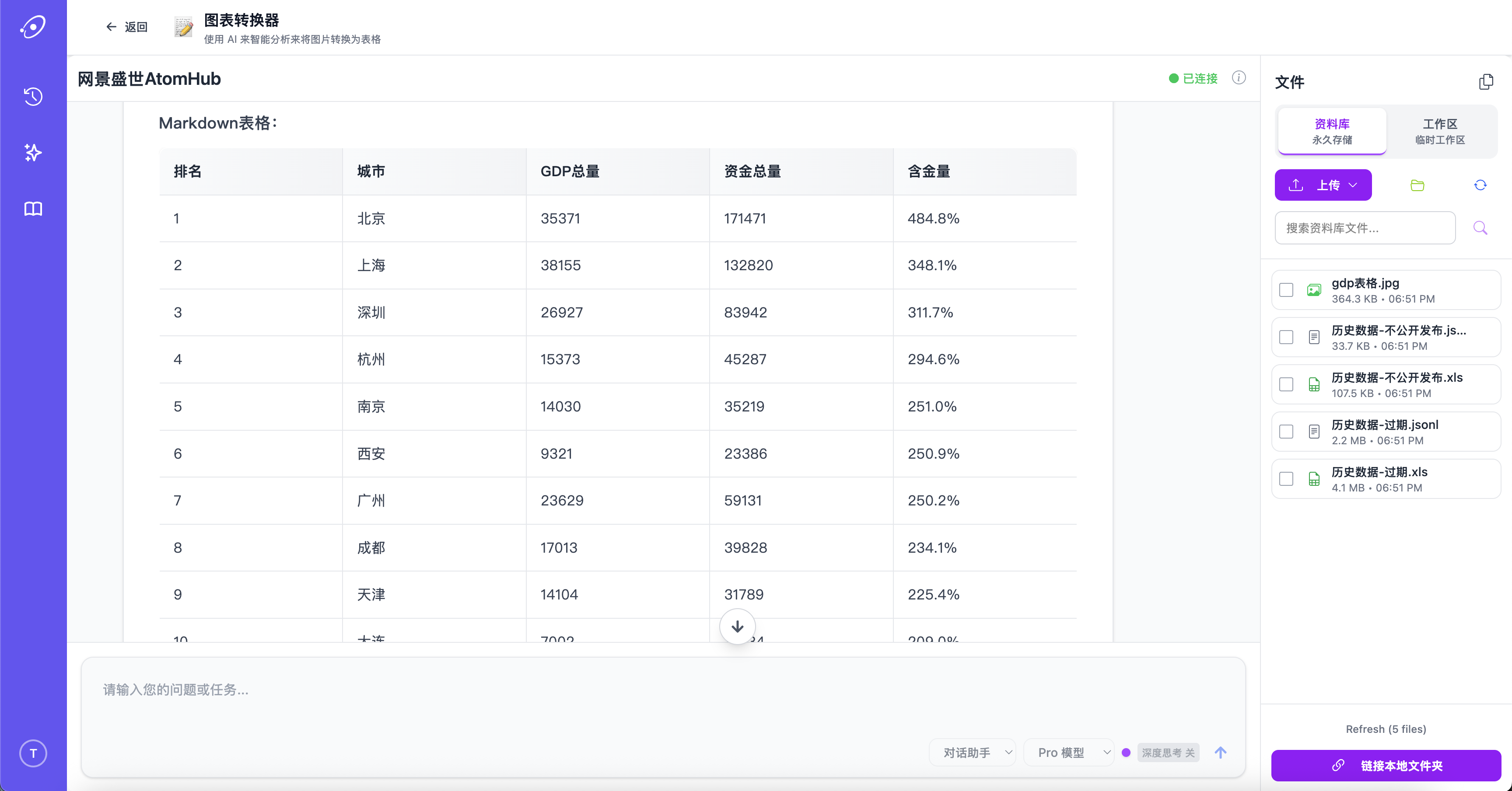
Charts and tables, not just text
AtomHub turns scanned tables, screenshotted charts, and image-based forms into structured data you can compute on. The conversion preserves headers and units, so what comes out is a spreadsheet, not a wall of text.
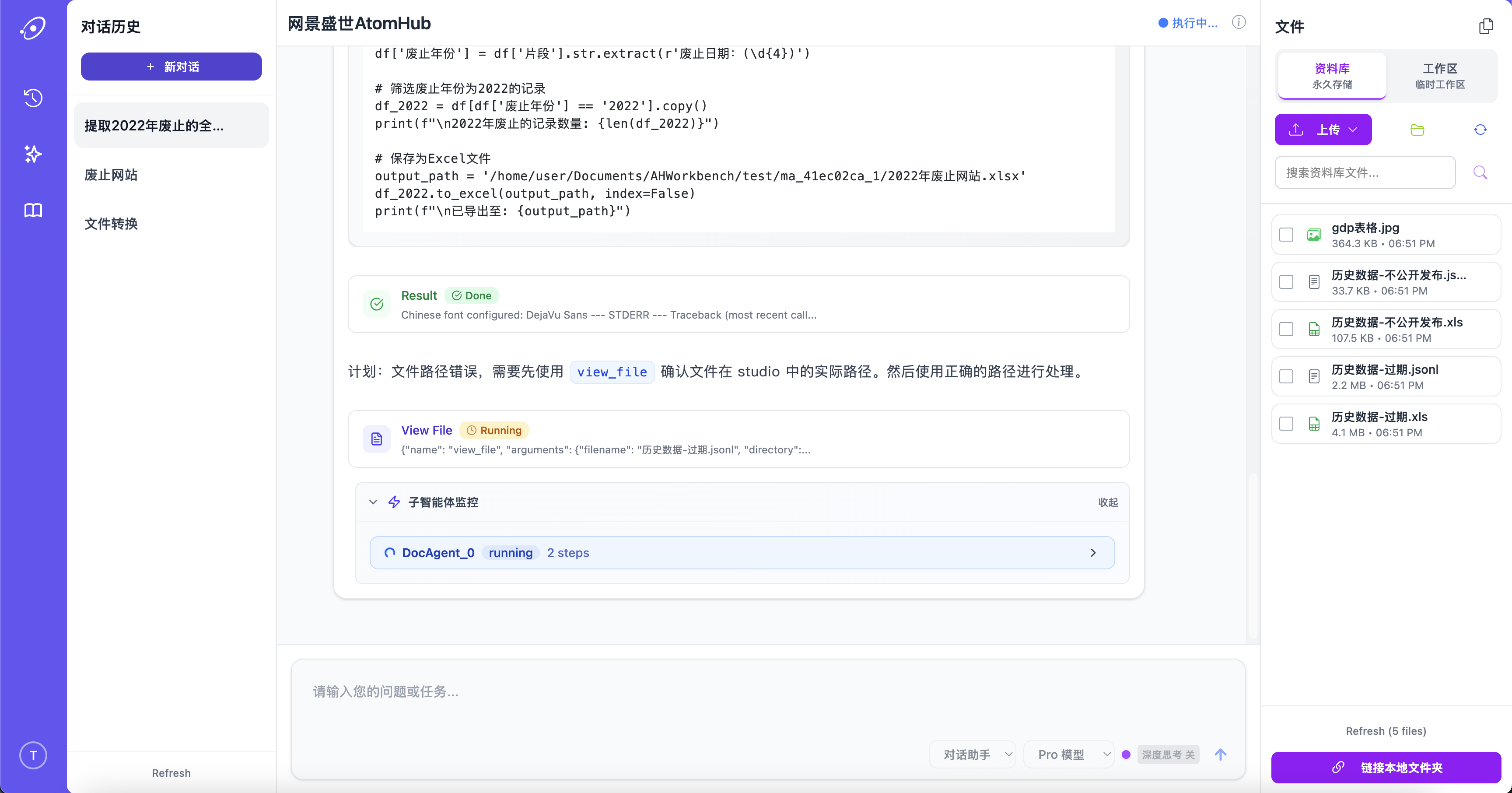
Tool calls that actually run
AtomHub speaks to your databases, APIs, and internal services through a typed tool interface. It doesn't just suggest the SQL — it runs the query, reads the result, decides what to do next, and shows its work.
Custom tools register in minutes; permissions are scoped per agent and per workspace.
What's under the hood
Multi-agent orchestration
One request fans out to specialist agents that work in parallel — then a coordinator agent composes the answer.
Multimodal search
Search text, tables, charts, audio transcripts, and images in one query. Results unify across formats.
Local data connectors
Plug into local databases, file shares, and on-prem APIs. Your data does not need to leave your network.
Two-layer memory
Workspace memory persists across sessions; task memory is scoped to a single piece of work. Both are inspectable and editable.
Three-tier cache
Prompt-level, retrieval-level, and tool-result caches keep repeat work fast and inexpensive.
Workflow embedding
Drop AtomHub into existing workflows via webhook, MCP, or SDK — it doesn't ask you to migrate.
How it works
Each request enters a planner agent that decomposes the task and routes sub-tasks to specialist agents — retrieval, code-execution, tool-calling, summarisation. Specialists run in parallel where they can; sequential dependencies are tracked explicitly. A coordinator agent reviews intermediate outputs, asks clarifying questions when needed, and produces the final response.
Under that orchestration sit three layers: a multimodal perception layer that normalises every input into a common representation; a routed processing layer with central, custom, and correction sub-models; and a post-processing integration layer that merges sub-results before they reach you.
Ready to put AtomHub to work?
Sign up for a workspace, point it at your documents, and watch the agents go.
Try AtomHub →